OpenCode Architecture
This page summarizes how OpenCode routes model traffic depending on the provider path you choose.
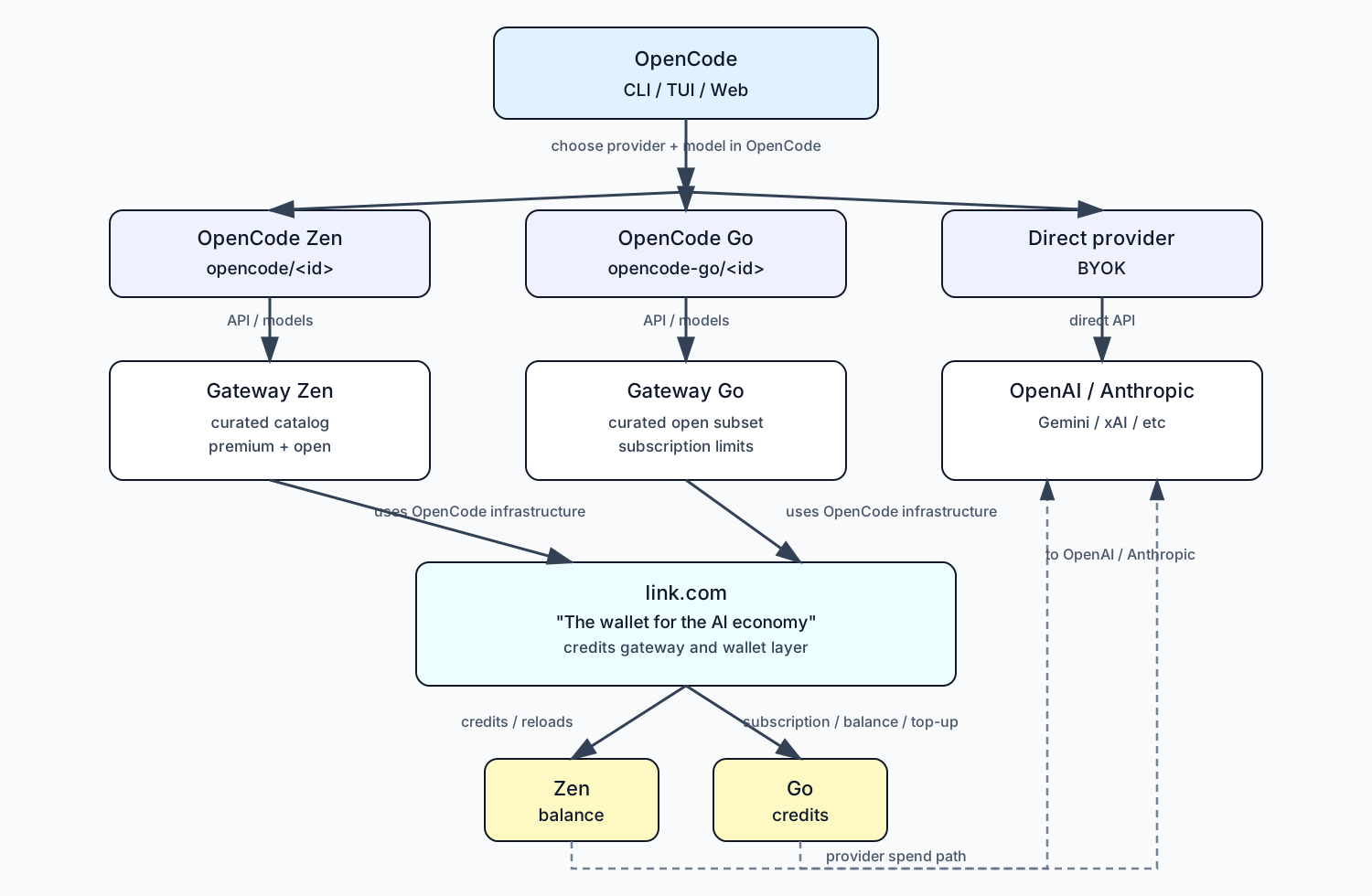
Reading the Diagram
- OpenCode is the entry point (CLI, TUI, and Web).
- You choose a provider/model route at the OpenCode layer.
- OpenCode Zen and OpenCode Go route through their corresponding gateways.
- The direct provider path is BYOK and connects straight to provider APIs.
- Both Zen and Go rely on shared OpenCode infrastructure and the link.com wallet layer.
- Credits and balances are managed per plan (Zen balance and Go credits).
Ways to Use OpenCode
Based on the official OpenCode documentation and repository, the supported usage modes are:
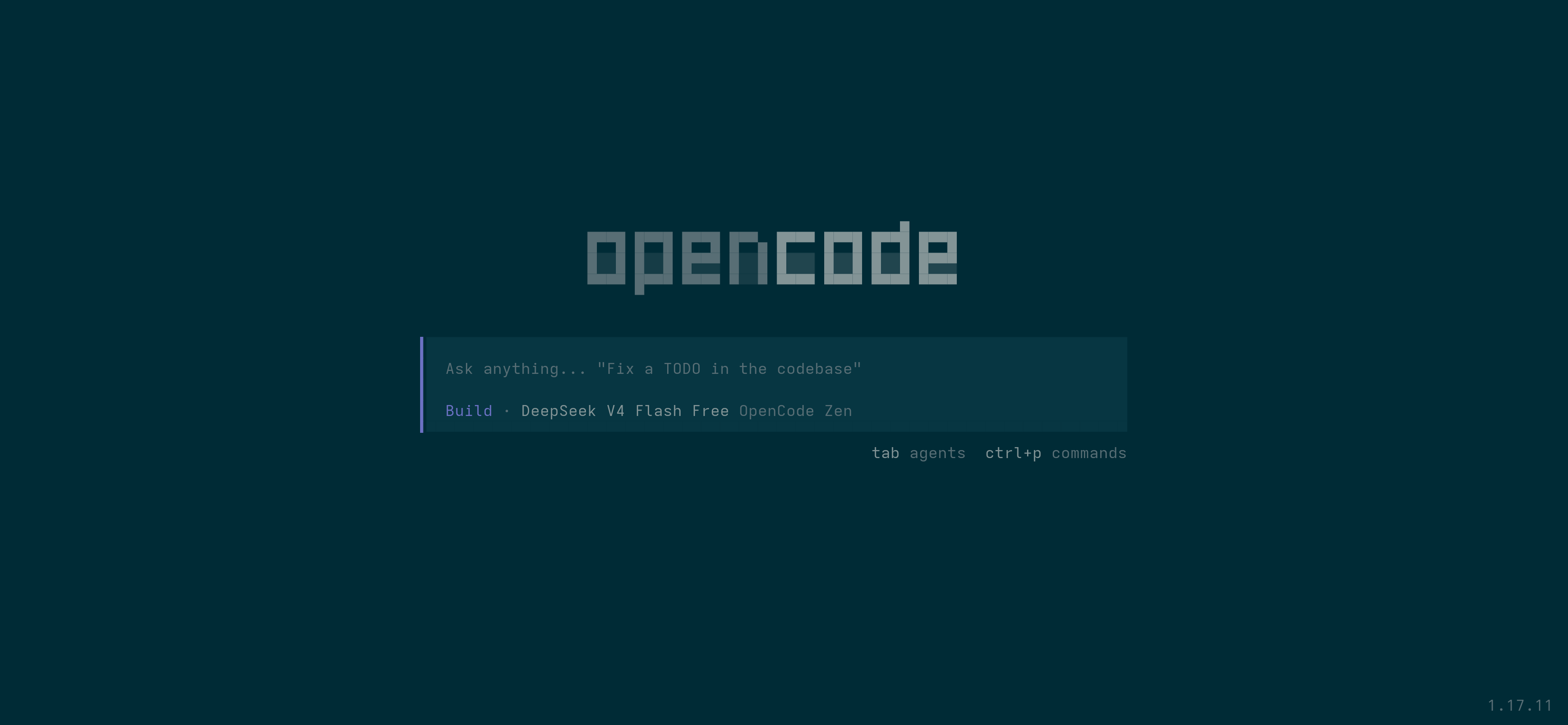
- Terminal-based interface (CLI / TUI)
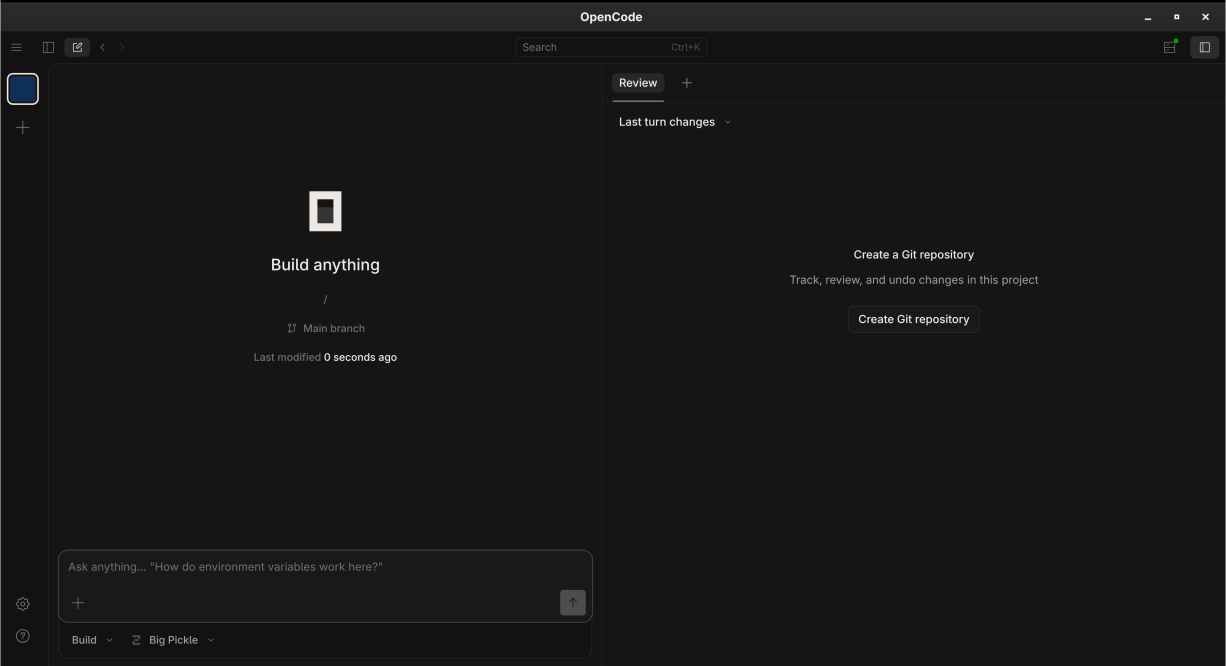
- Desktop App (Beta)
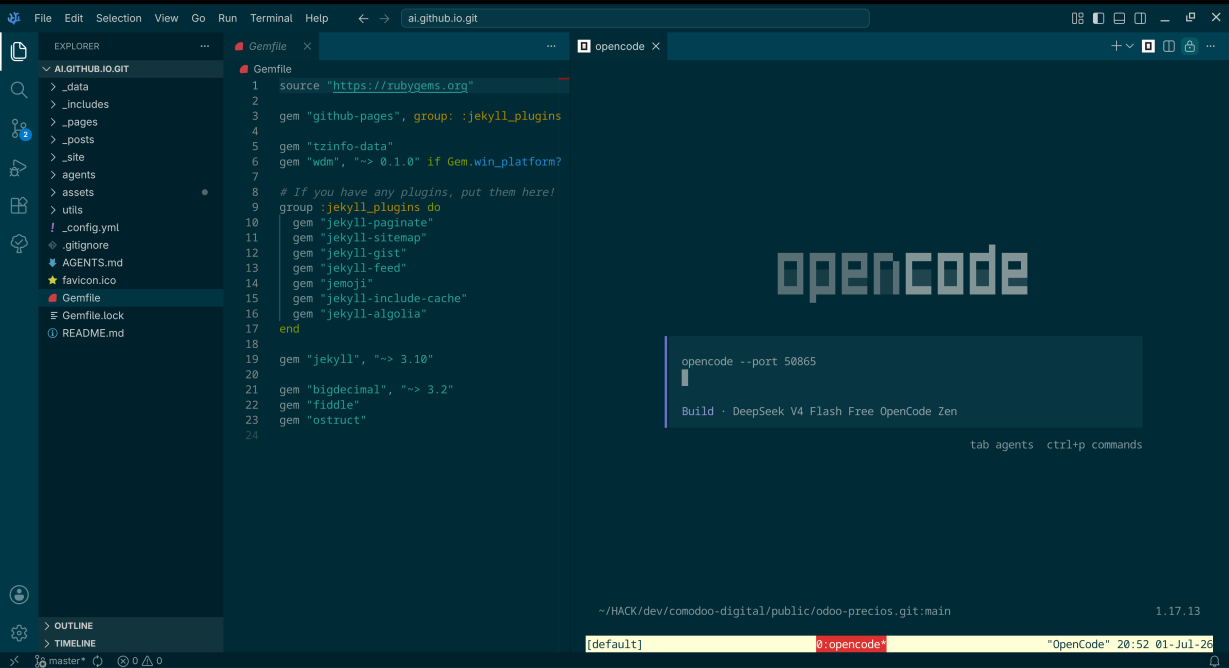
- IDE Extension (official VS Code extension)
Note: the CLI/TUI image is an official screenshot from the OpenCode repository. The Desktop, IDE, and Web images below are generated illustrative captures.
1) CLI / TUI
Official terminal screenshot from the OpenCode repository.
2) Desktop Application (Beta)
OpenCode is officially distributed as a desktop app for macOS, Windows, and Linux.
3) IDE Extension (VS Code)
OpenCode is also available as an official VS Code extension (sst-dev.opencode).
4) Web
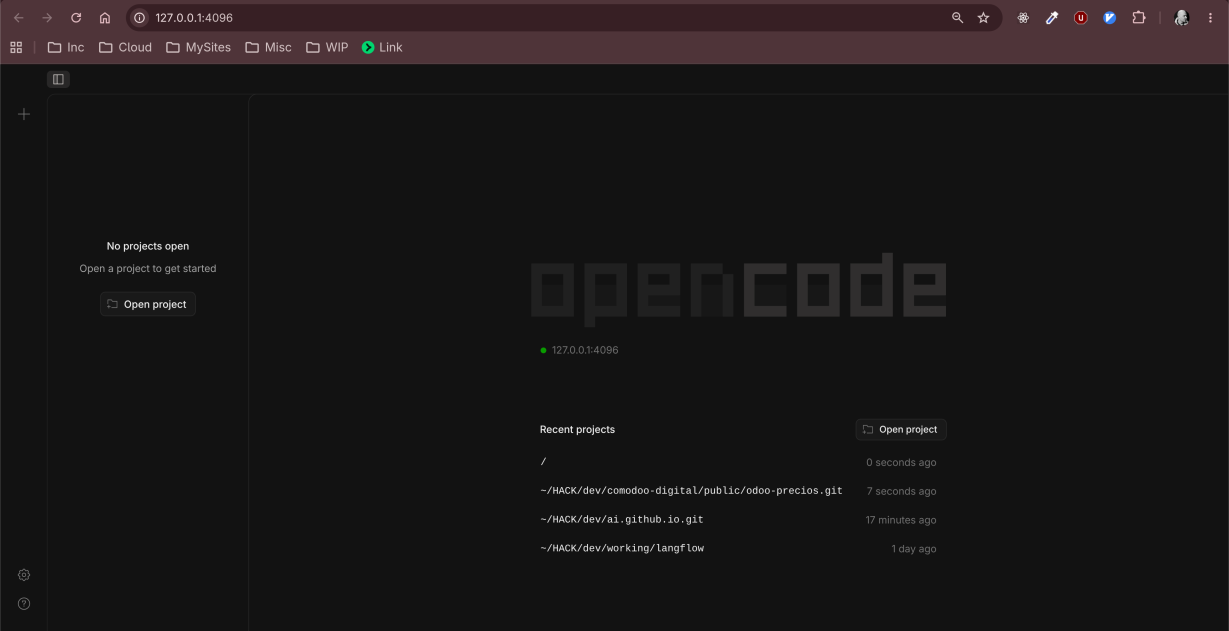
OpenCode has an official web presence (opencode.ai) for docs, install, downloads, and project information.
Current official docs describe the coding interfaces as terminal, desktop app, and IDE extension.
How OpenCode Works with AGENTS.md and SKILL.md
OpenCode supports both rule-style instruction files (AGENTS.md) and reusable skill files (SKILL.md), but it handles them differently.
AGENTS.md behavior (rules/instructions)
- OpenCode includes
AGENTS.mdinstructions in model context as project rules. - On startup, it resolves rule files with precedence:
- Local files while traversing up from the current directory (
AGENTS.md,CLAUDE.md) - Global rules at
~/.config/opencode/AGENTS.md - Claude fallback at
~/.claude/CLAUDE.md(if compatibility is enabled)
- Local files while traversing up from the current directory (
- Within each category, first match wins, and
AGENTS.mdtakes precedence overCLAUDE.md. - Additional instruction files can be configured through
instructionsinopencode.json, and those are combined withAGENTS.mdcontext.
SKILL.md behavior (agent skills)
- Skills are discovered automatically from supported folders, but they are loaded on demand when the agent invokes the native
skilltool. - This means OpenCode does not inject full contents of every
SKILL.mdat session start. Instead, the agent first sees the available skill names and descriptions, then requests full content only when relevant. - Discovery paths include:
- Project:
.opencode/skills/<name>/SKILL.md(and.opencode/skill/...) - Global:
~/.config/opencode/skills/<name>/SKILL.md - Compatibility paths:
.claude/skills/...,~/.claude/skills/...,.agents/skills/...,~/.agents/skills/...
- Project:
- OpenCode walks up from the current working directory to the git worktree root for project-local discovery.
What this means for OpenCode agents
- AGENTS-style rules shape baseline behavior for the whole session.
- Skills provide targeted, reusable capability packs that agents pull only when needed.
- This hybrid model keeps context lean while still allowing deep domain guidance at the moment of use.
Practical recommendation
- Put stable project rules in
AGENTS.md. - Put reusable task playbooks in
.opencode/skills/<name>/SKILL.md. - Keep high-signal
descriptionfields in skills, because selection is driven by name and description before loading full content.
Complete practical example (AGENTS.md + multiple SKILL.md)
This example shows a realistic project layout with one global instruction file and multiple specialized skills.
ai-engineering-project/
|- AGENTS.md
|- opencode.json
|- src/
|  |- api/
|  |- web/
|- docs/
|- .opencode/
   |- skills/
	  |- code-review/
	  |  |- SKILL.md
	  |- docs-authoring/
	  |  |- SKILL.md
	  |- incident-triage/
		 |- SKILL.md
Suggested AGENTS.md:
# AGENTS.md

## Mission
- Keep the repository stable, readable, and easy to review.
- Prefer minimal changes with explicit rationale.

## Engineering rules
- Do not modify generated output directories.
- Preserve front matter on documentation pages.
- Keep edits in English.
- When adding a new page, also update navigation and cross-links.

## Quality gates
- Validate links and headings after docs edits.
- For code changes, prefer narrow scope and avoid unrelated refactors.
Suggested opencode.json:
{
  "instructions": [
	"./AGENTS.md"
  ]
}
Skill 1: .opencode/skills/code-review/SKILL.md
---
name: code-review
description: Review changed files, list risks by severity, and propose concrete fixes.
---

# Code Review Skill

## Scope
- Analyze only changed files unless requested otherwise.
- Prioritize correctness, regressions, security, and maintainability.

## Output format
- Findings first, sorted by severity.
- Each finding includes file, line, impact, and fix suggestion.
- If no findings exist, state that explicitly and mention residual risks.
Skill 2: .opencode/skills/docs-authoring/SKILL.md
---
name: docs-authoring
description: Create or update technical documentation with consistent structure and actionable examples.
---

# Docs Authoring Skill

## Scope
- Write concise, task-oriented documentation.
- Prefer examples that can be executed directly.

## Rules
- Keep title hierarchy clean (H2 then H3).
- Add a practical example section when introducing a concept.
- Add references for external claims.
Skill 3: .opencode/skills/incident-triage/SKILL.md
---
name: incident-triage
description: Diagnose production issues using logs, hypotheses, and fast containment steps.
---

# Incident Triage Skill

## Workflow
1. Summarize symptoms and blast radius.
2. Build top three hypotheses.
3. Identify fastest safe containment action.
4. Propose verification checks and rollback criteria.

## Guardrails
- Avoid destructive actions without explicit confirmation.
- Document assumptions when evidence is incomplete.
How OpenCode uses this setup in practice:
- Session starts and AGENTS.md is loaded as baseline behavior.
- OpenCode discovers available skills from .opencode/skills.
- The agent sees skill names and descriptions first.
- When a task matches (for example, a review request), OpenCode loads only the matching SKILL.md content.
- The final response combines AGENTS.md rules plus the selected skill guidance.
Example prompts that trigger each skill naturally:
- “Review this patch and list critical risks first.” -> code-review
- “Draft a new docs section with steps and references.” -> docs-authoring
- “We have a spike in 500 errors, propose triage and containment.” -> incident-triage
The Second Brain Approach Proposal
Many teams start by creating AGENTS.md and SKILL.md files independently in every repository. This works for one or two projects, but it quickly becomes expensive when you manage many repositories with different stacks and release cycles.
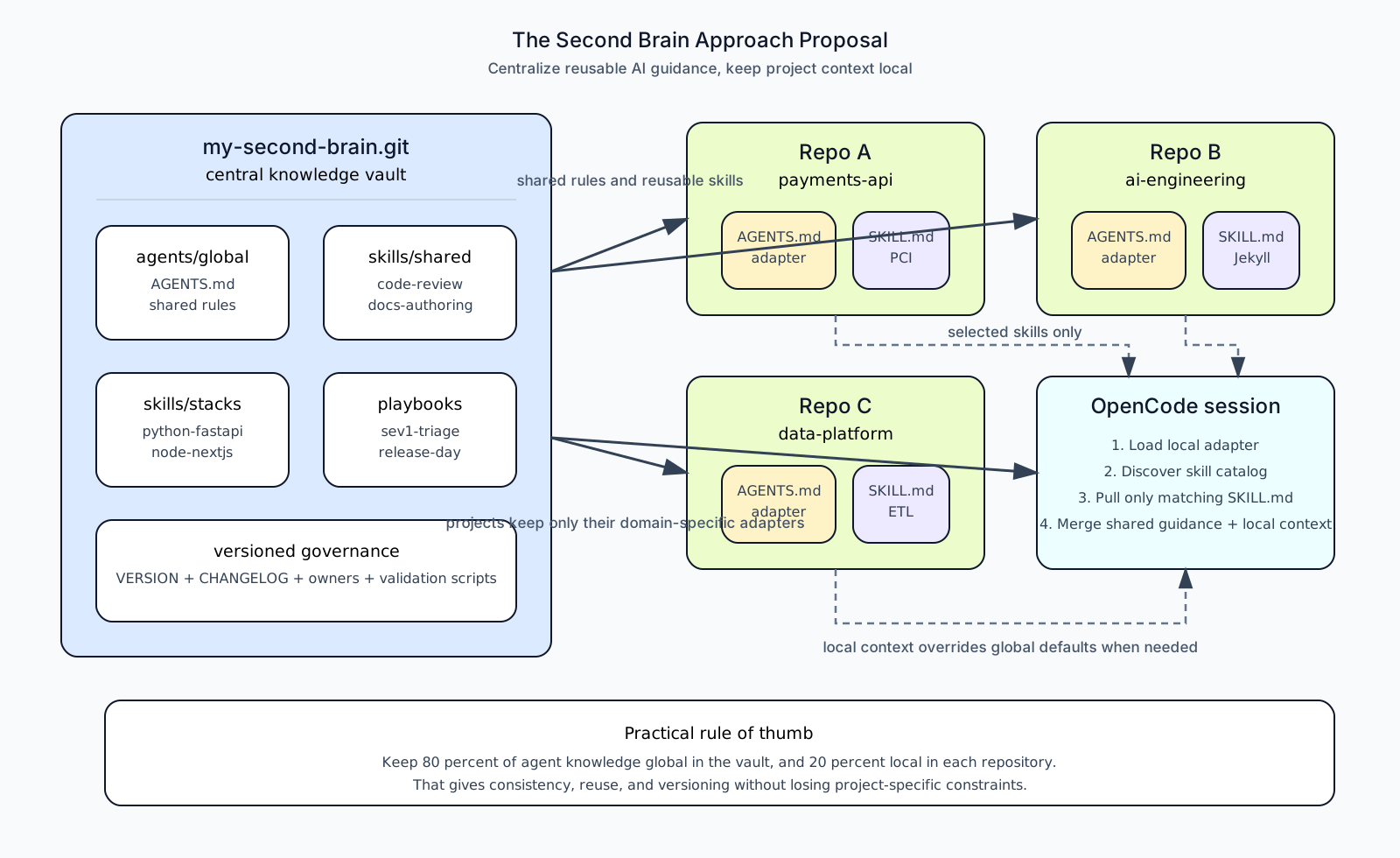
The second brain approach proposes a central knowledge repository (for example, my-second-brain.git) that acts like an Obsidian-style vault for AI agent instructions. Instead of rewriting the same guidance repeatedly, teams maintain shared agent rules, reusable skills, playbooks, and templates in one place, then combine that with lightweight project-local instructions.
Problem statement
If each repository owns a full instruction stack, teams usually hit these issues:
- Duplicate skills with slight drift in behavior.
- Inconsistent review quality across repositories.
- High maintenance overhead for policy updates.
- Slow onboarding because every project has a different instruction style.
Proposed model: hybrid, not purely centralized
The most reliable implementation is a hybrid model with two layers:
- Global layer (
my-second-brain.git)- Shared standards, reusable skills, governance policies, and operational playbooks.
- Local layer (inside each code repository)
- Minimal
AGENTS.mdadapter with project constraints, domain language, and overrides.
- Minimal
Decision rule: local context wins when there is a conflict.
Reference architecture for my-second-brain.git
my-second-brain/
|- README.md
|- CHANGELOG.md
|- VERSION
|- governance/
|  |- engineering-principles.md
|  |- security-baseline.md
|- agents/
|  |- global/
|  |  |- AGENTS.md
|  |- templates/
|  |  |- AGENTS.project-template.md
|  |- projects/
|     |- ai-engineering/
|     |  |- AGENTS.md
|- skills/
|  |- catalog.yml
|  |- shared/
|  |  |- code-review/
|  |  |  |- SKILL.md
|  |  |- docs-authoring/
|  |  |  |- SKILL.md
|  |  |- incident-triage/
|  |     |- SKILL.md
|  |- stacks/
|  |  |- python-fastapi/
|  |  |  |- SKILL.md
|  |  |- node-nextjs/
|  |     |- SKILL.md
|  |- projects/
|     |- ai-engineering/
|        |- jekyll-page-edit/
|           |- SKILL.md
|- playbooks/
|  |- release-day.md
|  |- sev1-triage.md
|- automation/
   |- validate-frontmatter.ps1
   |- sync-to-projects.ps1
Example: global AGENTS.md in the second brain
# AGENTS.md

## Mission
- Deliver correct, minimal, and reviewable changes.

## Global rules
- Prefer the smallest safe change.
- Avoid unrelated refactors.
- Mark assumptions explicitly when evidence is incomplete.
- For documentation, include practical examples and references.

## Output contract
- For review requests, list findings first by severity.
- Include risk, impact, and concrete remediation.
Example: reusable shared skill
Path: .opencode/skills/code-review/SKILL.md (or the equivalent path in your central vault)
---
name: code-review
description: Review changed files, rank risks by severity, and propose precise fixes.
version: 1.3.0
owner: platform-ai
tags: [quality, review, risk]
---

# Scope
- Analyze changed files first.
- Prioritize correctness, regressions, security, and maintainability.

# Workflow
1. Build a change map.
2. Identify high-risk areas.
3. Validate behavior and edge cases.
4. Propose targeted fixes.

# Output format
- Severity
- File and line
- Risk and impact
- Suggested fix
- Missing tests
Example: local adapter per project
Each code repository keeps a short AGENTS.md with only project-specific constraints:
# AGENTS.md (project adapter)

## Project context
- Service: payments-api
- Critical constraints: PCI, auditability, backward compatibility

## Local overrides
- Any security recommendation must state PCI impact.
- Schema changes require migration and rollback notes.

## Baseline
- Follow shared standards from my-second-brain version 1.3.x.
How OpenCode executes this pattern
- OpenCode loads baseline rules from local
AGENTS.mdplus configured instruction files. - OpenCode discovers available skills and their descriptions.
- The model selects relevant skills for the current task.
- OpenCode loads only selected
SKILL.mdfiles on demand. - Final output reflects both global standards and local repository constraints.
Governance and lifecycle
- Version your central vault (
VERSION,CHANGELOG.md). - Assign an owner to each shared skill.
- Define compatibility windows (for example, project adapters pinned to
1.3.x). - Add lightweight validation scripts for front matter, links, and required metadata.
Benefits and trade-offs
Benefits:
- Strong consistency across repositories.
- Lower duplicated maintenance work.
- Faster onboarding with common operating patterns.
- Better skill quality through central review and versioning.
Trade-offs:
- Requires governance discipline and release management.
- Over-centralization can reduce project autonomy.
- A breaking change in shared guidance may affect many repositories.
Mitigation: keep project adapters small but explicit, and let local constraints override global defaults.
When this approach is a strong fit
- You maintain several repositories with shared engineering practices.
- You want AI agent behavior to be consistent across teams.
- You need reusable incident, review, and documentation playbooks.
When to stay mostly local
- Highly regulated environments with strict repository isolation.
- Teams with radically different workflows and tooling.
- Projects where domain constraints dominate generic engineering practices.
Recommended adoption path
- Extract 2 to 3 shared skills from existing repositories.
- Create one global
AGENTS.mdinmy-second-brain.git. - Keep each repository adapter under 100 lines.
- Introduce versioning and changelog discipline.
- Expand the shared catalog only after proving value in daily workflows.
References
- OpenCode Rules docs: https://github.com/anomalyco/opencode/tree/dev/packages/web/src/content/docs/rules.mdx
- OpenCode Skills docs: https://github.com/anomalyco/opencode/tree/dev/packages/web/src/content/docs/skills.mdx
- OpenCode tools (
skill): https://github.com/anomalyco/opencode/tree/dev/packages/web/src/content/docs/tools.mdx - OpenCode skill loader implementation: https://github.com/anomalyco/opencode/tree/dev/packages/opencode/src/skill/index.ts
- OpenCode skill tool implementation: https://github.com/anomalyco/opencode/tree/dev/packages/opencode/src/tool/skill.ts
Sources
- OpenCode repository: https://github.com/anomalyco/opencode
- OpenCode README (modes + install): https://raw.githubusercontent.com/anomalyco/opencode/dev/README.md
- VS Code extension listing (
sst-dev.opencode): https://marketplace.visualstudio.com/items?itemName=sst-dev.opencode